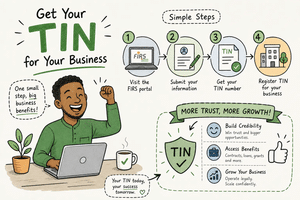
Step-by-step guide to getting your TIN online in Nigeria
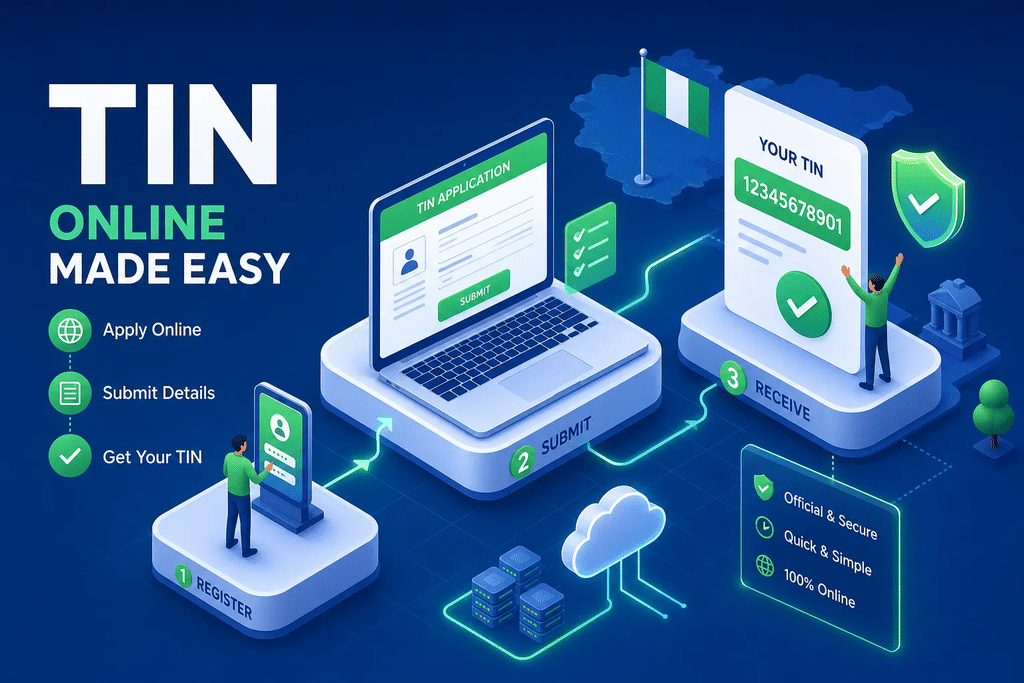
If you’ve been wondering how to get an online TIN number in Nigeria, you’re not alone. Picture this: you’ve just secured a contract, your new corporate bank account requires a Tax Identification Number, or you’re trying to register for VAT, and someone sends you a link to a “TIN generator” website that asks for your BVN and a processing fee. You’re not sure if it’s official. You search online and find four different portals, three of which look outdated. Sound familiar? This is exactly where most Nigerian business owners get stuck.
The landscape changed significantly in 2026. Nigeria’s tax administration moved under the Nigeria Revenue Service (NRS), and the official route for obtaining a Tax ID is no longer what most blog posts describe. This guide covers the correct portal, the exact documents you need, and a full walkthrough that works right now. Young Sentinel Digital Concept has also put together a free TIN Registration Checklist, a single printable PDF that consolidates every step and document in this article so you don’t miss anything during your application.
No detours. No paid shortcuts. Just what actually works.
The official portal to use and why older links will waste your time
Why the JTB portal link still circulates but shouldn’t be your first stop
Most search results still point to tin.jtb.gov.ng or older FIRS links. Those pages haven’t disappeared, but the Nigeria Revenue Service now directs all applicants to taxid.nrs.gov.ng as the primary portal for Tax ID generation and retrieval. This is the portal you should open first, whether you’re an individual applying with your NIN or a business using a CAC registration number.
There’s a second portal that causes confusion: TaxProMax at taxpromax.firs.gov.ng. That one is not for registration. You use TaxProMax after you already have a TIN, for activities like filing returns, registering for VAT, and managing company tax obligations. Mixing up these two portals is the single most common reason applicants hit dead ends. Go to taxid.nrs.gov.ng to get your Tax ID; go to TaxProMax to use it.
How to spot fake TIN generator sites and protect your data
Fraudulent “TIN generator” websites are designed to look official enough to fool someone in a hurry. Two signals in particular should make you close the tab immediately: the domain does not end in .gov.ng, or the site demands an upfront payment before processing your application. Legitimate government portals will not charge unofficial processing fees or harvest your passwords, though they may request an OTP sent to your registered phone number or email address as part of standard identity verification; that is normal. What is not normal is any third-party site asking for an OTP, a password, or payment details on a page you didn’t reach via the official NRS portal. Your BVN and NIN are sensitive identity data; entering them on an unofficial site puts you at real risk. Always type the NRS portal address directly into your browser rather than clicking a third-party link.
Documents and identity numbers to prepare before you start
What individual applicants need: NIN, BVN, and valid ID
The NIN is the primary identifier for individual applications on the NRS portal and is generally required to proceed. The BVN plays a supporting role for cross-verification, so have it ready as well. If your NIN record is unavailable or has not yet synchronised with the portal, you may be advised to complete your NIMC registration or correction before reapplying. Accepted means of identification include your NIN slip or National Identity Card, a Nigerian international passport, a driver’s licence, or a Permanent Voter’s Card. Depending on your applicant category, you may also need a recent passport photograph and proof of address, a utility bill, bank statement, or tenancy agreement dated within the last three months.
What business applicants need: CAC documents and directors’ details
Business or non-individual applications follow a different route. You’ll need the CAC registration number (RC for companies, BN for business names), the registered business name exactly as it appears on the CAC certificate, and valid identification for each director or proprietor. A proof of business address is also required. If someone other than a registered director is submitting the application on behalf of the company, include an authorisation letter or board resolution. Missing any of these triggers rejection or delays.
File format and size: what to prepare before uploading
The NRS portal accepts PDF files for document uploads. Based on available guidance, the portal allows up to three files per submission at up to 20 MB each, though upload limits can change; always check the size requirements shown on the live application page before you upload. Save all documents as PDF, scan in colour with all corners and text clearly visible, and keep your passport photograph within the size limit displayed on the portal. Black-and-white scans and blurry uploads are frequently rejected. Avoid file names with special characters; keep them simple, such as “CAC_Certificate.pdf”.
How to get your TIN online: full step-by-step walkthrough
How to apply for a TIN online as an individual
Open taxid.nrs.gov.ng and select the individual registration or Tax ID generation route. Follow these steps in order:
- Enter your NIN, date of birth, first name, and surname exactly as they appear on your identity document.
- Complete the CAPTCHA and select Search or Verify. If an existing TIN appears at this point, do not submit a new application; save the result instead.
- If no record is found, proceed to the new registration form.
- Fill in all personal fields: full legal name, gender, nationality, state of origin, LGA, marital status, occupation or employment status, phone number, active email address, and residential address.
- Upload the required documents in PDF format.
- Review every field carefully, accept the declaration, complete any OTP verification prompted by the portal, and submit.
- Save your reference number immediately and monitor your registered email address for confirmation.
Clean individual applications where NIN details match are often resolved within minutes to a few hours. Cases requiring manual verification can take up to three working days.
How to get your TIN online as a business or non-individual
Use the same portal but select the non-Individual or Business route. The key fields include organisation type, CAC registration number, registered legal name, date of incorporation, principal business activity, contact details, and responsible persons. The registered name must match the CAC certificate character for character; a single abbreviated word can cause automatic rejection.
Newly registered companies sometimes experience a synchronisation delay between the CAC database and the NRS system. Before applying, confirm that your CAC record has fully propagated by verifying it on the CAC portal. If it hasn’t synced, applying immediately will result in a mismatch error. Business TINs typically process within 24 to 72 hours when CAC information is correctly linked; complex cases can take five to seven working days.
How to retrieve or verify a TIN you already have
Use the lookup function on the official NRS portal: select Individual and enter your NIN, or select Non-Individual and enter the CAC registration number. Choose Retrieve Tax ID rather than starting a new registration. If the TIN appears, use your browser’s Print to PDF function or the portal’s download option to save the certificate. Existing TINs also appear on prior tax receipts, FIRS notices, and employer PAYE records. Check those sources before applying for a new one.
Common mistakes that get applications rejected and how to fix each one
Name mismatches, wrong ID numbers, and entity type errors
The most common cluster of rejections comes down to one thing: the information on the application does not match what the government has on record. Entering a nickname or trading name instead of the legal name, mistyping the NIN or BVN by a single digit, selecting sole proprietor when the business is registered as a limited company, using a company’s TIN for an individual return, all of these trigger failures for the same reason. Cross-check every field against the authoritative source document before submitting, not after receiving a rejection notice. The authoritative source is the physical document issued by the relevant government body, not what you remember.
Duplicate applications, upload failures, and sessions that time out
Never submit a second application while the first is still pending. Doing so creates a duplicate record that must be resolved manually by NRS staff, which significantly delays the process. If your application is stuck, contact the NRS with your original reference number and ask for a status update.
Upload failures are almost always caused by oversized files, unsupported formats, blurry scans, or file names containing special characters like slashes, brackets, or ampersands. For session timeouts, clear your browser cache, use an up-to-date browser, and avoid working across multiple open tabs on the same portal. Write down your reference number before the session expires; that number is your evidence of a submitted application.
After your TIN: setting up your business to collect and use it online
The free TIN registration checklist from Young Sentinel Digital Concept
Young Sentinel Digital Concept has put together a downloadable PDF checklist that covers every document, field, and step in this article in a single printable format. It’s designed for anyone sitting down to apply this week and wanting to avoid the back-and-forth of incomplete submissions. Visit the Young Sentinel Digital Concept website to access the checklist before you open the NRS portal.
How Young Sentinel Digital Concept can integrate your TIN into your business website and payment setup
Getting your TIN is the administrative milestone. What follows is where real business growth happens. Many entrepreneurs who’ve just completed registration need a professional website that presents their now-registered business credibly, a landing page set up to collect compliant client information, or a payment onboarding flow that incorporates tax details correctly. These aren’t optional extras; they’re what separate a business that looks registered from one that actually converts visitors into paying clients.
Samuel Igwe and the team at Young Sentinel Digital Concept specialise in exactly this area, website design, sales funnel creation, landing page design, and email marketing systems built specifically for Nigerian entrepreneurs who are serious about growing online. Whether you need a full website, a high-converting sales page, or a complete funnel from awareness to purchase, the team builds it with clean design and strategic structure. Reach out to book a free consultation and discuss how to connect your new Tax ID to a digital presence that works for your business.
TIN registration FAQs: quick answers to the questions that stall most applicants
What do I do if my BVN and NIN details don’t match on the portal?
A mismatch between NIN and BVN records is one of the most common verification failures on the portal. Stop the application and correct the underlying identity record first. If the NIN information is wrong, visit a NIMC centre with valid supporting documents. If the BVN details are incorrect, visit your bank with your valid ID and request a correction. Only resubmit the TIN application after both records align.
How long will my application take and what if it stays pending?
Individual applications where NIN details match can resolve within hours. Cases requiring manual review typically take one to three working days. Business TINs processed with correct CAC details usually come through within 24 to 72 hours, while complex cases run five to seven working days. If your application has not moved after ten working days, contact the NRS directly with your reference number, check the NRS website for the current helpdesk contact route. Do not file a duplicate application.
Can I apply for a TIN without a CAC registration?
Individuals do not need a CAC number. The NIN covers individual Tax ID registration entirely. A CAC number is required only for business or non-individual applications. Sole proprietors who have not yet registered their business name with the CAC should complete that registration first, confirm the record has synced, and then apply on the business route.
Getting your TIN is step one
Now you know how to get an online TIN number in Nigeria. The correct portal is taxid.nrs.gov.ng. Always check for an existing TIN before applying for a new one, and make sure every detail on your application matches the authoritative source document exactly. Visit the Young Sentinel Digital Concept website to access the free checklist before you sit down at the portal; it can save you at least one round-trip of rejection and resubmission.
A registered Tax Identification Number is the foundation, but it’s not the finish line. The businesses that grow are the ones that pair proper registration with a professional digital presence. If you’re ready to take that next step, get in touch with Samuel Igwe at Young Sentinel Digital Concept for a free consultation on building the digital setup your newly registered business deserves.