How to get your TIN number in Nigeria and register it for your business
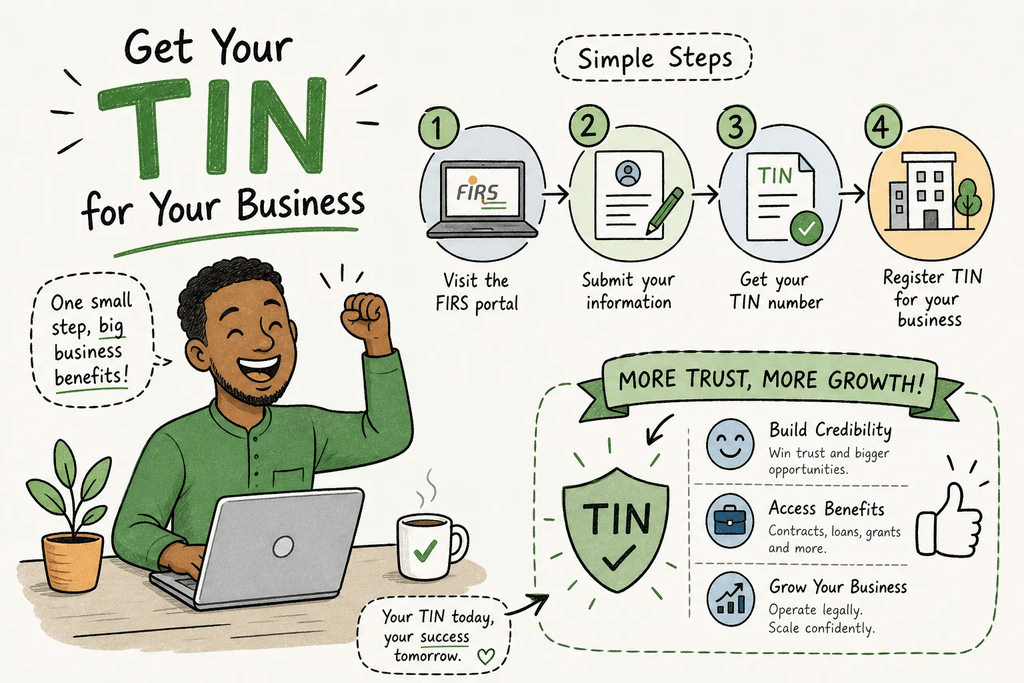
You finally land a corporate client, send over your invoice, and then get an email back asking for your tin number, your Tax Identification Number. Or you try to activate a business account on a payment gateway and the verification screen stalls because you don’t have a Tax ID on file. This happens to Nigerian entrepreneurs regularly, and it costs them real deals.
Here’s the thing: many Nigerian business owners already have a TIN and simply don’t know it. Others have never registered and aren’t sure where to start. The system also changed significantly in 2026, when the Federal Inland Revenue Service was absorbed into the new Nigeria Revenue Service (NRS) and a unified Tax ID portal replaced the old fragmented setup. This guide covers everything from registration to verification to putting your Tax ID to work commercially. At Samuel Igwe, Young Sentinel Digital Concept, we’ve seen this tin number gap block clients from closing deals and activating payment tools, and this article addresses that directly.
What your TIN is and who is required to have one
A Tax Identification Number (TIN) is a unique number assigned to every taxpayer in Nigeria so that the tax authority can identify them accurately across filings, transactions, and payments. What changed in 2026 is that the NRS now refers to this as your “Tax ID,” and the system for generating it has been consolidated into one national portal. The old confusion around separate FIRS-issued TINs and state board numbers has been largely resolved; the NRS has largely consolidated records into one national system, though anyone with legacy discrepancies should verify their record through the official portal.
There is also persistent confusion between NIN, BVN, and Tax ID. Your NIN (National Identification Number) is your national identity number issued by NIMC. Your BVN is your banking identity. Your Tax ID is your tax account identifier, and for individuals the NRS uses your NIN as the anchor to generate or retrieve it. For registered businesses, the CAC registration number does the same job.
The 2026 NRS portal and what changed for Nigerian taxpayers
The NRS launched taxid.nrs.gov.ng as the single official portal for Tax ID retrieval and registration. Individuals no longer fill out a separate TIN application form and queue at a tax office. Instead, you enter your NIN on the portal and retrieve your Tax ID directly. Old TINs issued under the FIRS or state revenue boards were migrated into this new system, so your existing number did not disappear.
Individuals, sole proprietors, companies, and trustees: who needs one?
Every taxpayer category in Nigeria requires a Tax ID. Employees may be required to provide one for PAYE reporting where applicable. Sole proprietors need it to open business bank accounts and onboard payment gateways. Registered companies receive a Tax ID linked to their CAC RC number. Incorporated trustees, including NGOs and co-operatives, follow a similar process but with additional governing documents. If you receive income, own a registered business, or contract with corporate clients, you need your tin number on file.
Documents to prepare before you open the registration portal
Being prepared before you open the portal means you can complete the process in one sitting rather than returning multiple times with missing items.
What individuals need
Individuals need their NIN slip or National Identity Card as the primary identifier. Alongside that, prepare a valid government-issued ID: a Nigerian international passport, driver’s licence, or permanent voter’s Card. You’ll also need proof of address in the form of a recent utility bill or tenancy agreement and a passport photograph where the portal requests one. If your NIN records are not yet fully synchronized with the NRS database, your BVN may also be requested for additional identity verification.
What registered businesses and companies need
The document requirements differ depending on your business structure. Here’s a quick breakdown:
- Sole proprietors: CAC Business Name Certificate, BN number, valid ID of the proprietor, and proof of business address
- Incorporated companies: Certificate of Incorporation, MEMART, particulars of directors and shareholders, statement of share capital, and valid IDs including NIN or BVN details for directors
- Incorporated trustees: All of the above for companies, plus the organization’s constitution or governing document
When in doubt about your specific structure, confirm the checklist with your nearest NRS office before you submit; incomplete documents are one of the top causes of rejection.
How to retrieve your tin number on the NRS portal: step-by-step
Both paths, individual and business, are straightforward once you know which options to select.
Registering as an individual using your NIN
- Open the official portal: https://taxid.nrs.gov.ng/
- SelectIndividual
- Choose National Identification Number (NIN) as the identification method
- Enter your 11-digit NIN
- Enter your first name, last name, and date of birth exactly as recorded by NIMC
- Select Continue
- Review the displayed information carefully
- Accept the data-processing consent notice
- Select Retrieve Tax ID
- Save, download, or print the Tax ID confirmation
This service is free on the official NRS portal. Any agent charging you solely to retrieve a Tax ID through this portal is an unnecessary cost. If you don’t know your NIN, dial *346# from the phone number registered with NIMC to retrieve it before you start.
Registering a business or company using your CAC number
The process mirrors the individual path. Open taxid.nrs.gov.ng, but this time select “Non-Individual” or “Corporate” from the options. Enter your RC number (for a limited company) or BN number (for a registered business name), confirm the organization’s registered name and any other requested details, then submit the request. Download or save your tin number confirmation when it displays.
Newly incorporated companies may have a Tax ID generated automatically within 24 to 72 hours of CAC registration, though full synchronization between the CAC database and the NRS system can take longer. Allow a full 72 hours before attempting retrieval if your company was recently incorporated. If the record still does not appear after that window, contact your nearest NRS office with your CAC reference number before assuming the portal is at fault.
What to do when the portal cannot find your record
The most common cause is a name or date mismatch between your NIN or CAC record and what the NRS database holds. Before assuming the portal is broken, check your details on the NIMC, NIBSS, or CAC databases first. If the mismatch persists after you’ve confirmed your source documents are correct, visit an NRS office with your original identity or incorporation documents for manual assistance. Do not create a duplicate record; contact an NRS office or your State Internal Revenue Service instead. Allow 1 to 3 business days for online individual issuance and 3 to 7 business days for businesses, with longer timelines for cases requiring manual review.
Verifying your tin number and resolving the most common registration errors
Whether you’re checking your own Tax ID or verifying a supplier’s before processing payment, use only the official portals.
The two official TIN verification portals
The JTB TIN Verification Portal at tinverification.jtb.gov.ng lets you search by TIN, NIN, BVN, date of birth, or registered phone number for individuals, and by TIN, CAC registration number, or registered phone number for companies. The FIRS verification system at apps.firs.gov.ng/tinverification also remains active and supports searches by TIN, RC/BN number, or phone number. For newly issued National Tax IDs through the NRS portal, taxid.nrs.gov.ng is the authoritative source. Do not use third-party “TIN checker” websites, and never pay to verify a TIN through these official channels.
Common errors and how to fix each one
Most rejections and delays trace back to a small number of fixable problems:
- Name mismatch: Enter names exactly as they appear on official documents, including punctuation, spacing, and middle names
- Incorrect dates: Double-check your date of birth or date of incorporation against the source document before submitting
- Expired or unclear ID uploads: Use a current, colour scan at the required resolution; black-and-white scans are frequently rejected
- Duplicate TIN detected: Contact the NRS with proof of identity to merge or correct conflicting records
- Sync delay for new companies: Wait 72 hours after CAC registration, then contact the NRS with your CAC reference number if the record still doesn’t appear
How Nigerian entrepreneurs use their TIN to win clients and close deals
Payment gateway onboarding and corporate contracts
Major Nigerian payment processors, including Paystack, Flutterwave, Remita, and Interswitch, require KYC documentation and may request a valid Tax ID as part of full business account verification. Without complete verification, merchants are often limited to starter or personal account tiers with lower transaction limits and restricted access to bulk settlement or full corporate features. Requirements vary by gateway; check each provider’s onboarding or KYC documentation for the exact list. Corporate clients, government agencies, and multinationals also typically require your TIN on procurement paperwork before onboarding you as a vendor. Many corporate procurement processes will delay or disqualify vendors who cannot supply it, often before the proposal itself is reviewed.
Issuing a tax-compliant invoice that clients will actually accept
A compliant Nigerian business invoice must include the seller’s TIN, the buyer’s TIN (for B2B transactions), a unique sequential invoice number, the invoice date, a description of goods or services, and VAT shown as a separate line item. Some corporate finance teams reject invoices that are missing a TIN because their own internal compliance requires it. This is a practical sales barrier as much as a regulatory one. Getting your tin number on every invoice removes a reason for a client’s finance team to stall or refuse payment.
Putting your TIN to work across your website, checkout, and email funnel
Once you have your Tax ID and understand how to use it on invoices, the next step is embedding TIN-related functionality into your digital infrastructure.
Adding a TIN field to your checkout page and lead capture forms
B2B buyers expect to see a TIN input on checkout pages when purchasing services for business use. For WooCommerce, this is a custom billing field that validates a 10-digit format and saves the value to the order record. For landing pages and lead capture forms built on platforms like Go High Level or MailerLite, a TIN field on your corporate enquiry form qualifies the lead and captures what you’ll need to generate a compliant invoice later. Samuel Igwe, Young Sentinel Digital Concept implements these fields for Nigerian businesses, on WooCommerce checkouts and custom landing pages, as part of a broader corporate onboarding setup.
Tax-compliant invoice templates and TIN-triggered email automation
A professionally designed invoice template that pre-populates with the client’s TIN (captured during onboarding) removes the manual back-and-forth that delays payment. Pair that with an email automation sequence that triggers a TIN confirmation request immediately after a corporate lead opts in, and the entire compliance handshake becomes part of your sales funnel rather than an afterthought. Young Sentinel Digital Concept designs and builds these systems, invoice templates, checkout TIN fields, and automation sequences, so your Tax ID functions as a trust signal and a commercial tool, not just a tax obligation you satisfy once a year.
Get your tin number and put it to work today
Getting your tin number is straightforward when you know the correct portal and have your documents ready. Visit taxid.nrs.gov.ng and use your NIN as an individual or your CAC number as a business. Retrieval can be near-instant if your records are already linked on the NRS system; otherwise, allow 1 to 3 business days for individuals and 3 to 7 business days for businesses. Verify the result through the JTB portal at tinverification.jtb.gov.ng, then display your Tax ID on invoices, in your website footer, and in your checkout flow.
If you need help setting up TIN fields on your website, designing a compliant invoice template, or building a funnel that handles corporate client onboarding correctly, get in touch with Samuel Igwe, Young Sentinel Digital Concept. That’s exactly the kind of work we do for Nigerian businesses every day.